Creative formats



Static
The Static format features a single, high-impact image that remains visible throughout the user session, delivering immediate brand presence without requiring interaction. This always-on placement ensures consistent visibility and fast message absorption, making it ideal for clear product storytelling and strong visual branding.
Static
Technical Specs
Any graphic text or logo you'd like to add over the key visual should be provided as separate assets:
- Included in our design templates, or
- Provided as vector files (SVG) or images with transparency (PNG)
Timings
We’ll need the assets 5 working days prior to launch.
A loading static visual
- Included in our design templates, or
- Provided as high-quality RGB, uncropped, 2560x1600 px minimum, 150 dpi
Click to play
WP Link
The Click-to-Play format features a static image (or a short video) that transitions into a video when the user actively clicks to engage. This opt-in approach ensures higher intent and attention, making it ideal for storytelling that unfolds through motion. Standard tracking includes video starts, quartile completion, and CTR, offering clear insight into user engagement.
Use your cursor to interact with the wallpaper

Click to play
WP Link
Technical Specs
Any graphic text or logo you'd like to add over the key visual should be provided as separate assets:
- Included in our design template, or
- Provided as vector files (SVG) or images with transparency (PNG)
Timings
We’ll need the assets 5 working days prior to launch.
->
->
Use your cursor to interact with the wallpaper
A loading visuals (images or videos)
Images
- High-quality RGB, uncropped versions
- 2560x1600 px minimum, 96 dpi
- Recommended 8x5 landscape ratio
Videos (15 seconds max)
- As for Autoplay
A video assets (without lenght limits)
- Full resolution as captured: 1920x1080 (HD) or higher
- High quality bitrate (max. 30 Mbps for HD, 60 Mbps for 4K)
->
Autoplay (Intro Video)
WP Link
The Autoplay (Intro Video) format on WeTransfer features a full-bleed video experience that begins playing automatically when the wallpaper loads. This immersive creative canvas allows brands to instantly capture user attention in a visually impactful and sound-off environment. It is ideal for storytelling, product reveals, and creating emotional resonance from the first second.
Autoplay (Intro Video)
WP Link
A max 15-second video, without overlays
- Full resolution as captured: 1920x1080 (HD) or higher
- High quality bitrate (max. 30 Mbps for HD, 60 Mbps for 4K)
Technical Specs
Any graphic text or logo you'd like to add over the video should be provided as separate assets:
- Included in our design template, or
- Provided as vector files (SVG) or images with transparency (PNG)
A static visual for the end of the video (otherwise, we’ll use the last frame)
- Included in our design template, or
- Provided as vector files (SVG) or images with transparency (PNG)
Timings
We’ll need the assets 5 working days prior to launch.
->
->
->
Compare
WP Link
The Image Compare format allows users to interactively explore two visuals by dragging a divider across the screen. It's ideal for showcasing before/after, new vs. old, or dual product features. This immersive experience is especially effective for transformation narratives or highlighting visual differences, with subtle yet high-impact engagement.
Use your cursor to interact with the wallpaper
Compare
WP Link
Two visuals (images or videos)
Images
- High-quality RGB, uncropped versions
- 2560x1600 px minimum, 96 dpi
- Recommended 8x5 landscape ratio
Videos
- Full resolution as captured: 1920x1080 (HD) or higher
- High quality bitrate (max. 30 Mbps for HD, 60 Mbps for 4K)
Technical Specs
Any graphic text or logo you'd like to add over the visuals should be provided as separate assets:
- Included in our design template, or
- Provided as vector files (SVG) or images with transparency (PNG)
Timings
We’ll need the assets 5 working days prior to launch.
A visual reference of the desired layout.
->
->
->
Use your cursor to interact with the wallpaper
Carousel
WP Link
Carousel creatives can automatically cycle through multiple images, creating a smooth, eye-catching flow that showcases a product range or brand narrative in one seamless placement.
Use your cursor to interact with the wallpaper
To maximise impact, we recommend using a smaller number of slides in the carousel. This ensures each image gets enough on-screen time, keeps the pacing smooth, and preserves clarity on all screen sizes.
Carousel
WP Link
4-6 visuals (images or videos)
Images
- High-quality RGB, uncropped versions
- 2560x1600 px minimum, 96 dpi
- Recommended 8x5 landscape ratio
Videos (3 seconds max)
- Full resolution as captured: 1920x1080 (HD) or higher
- High quality bitrate (max. 30 Mbps for HD, 60 Mbps for 4K)
Technical Specs
Any graphic text or logo you'd like to add over the visuals should be provided as separate assets:
- Included in our design template, or
- Provided as vector files (SVG) or images with transparency (PNG)
Timings
We’ll need the assets 5 working days prior to launch excluding design phase.
A visual reference of the desired layout.
->
->
->
Use your cursor to interact with the wallpaper
Accordion
WP Link
Accordion creatives display multiple panels that expand or collapse on click, letting users navigate a story, product line, or campaign theme one section at a time. The layout keeps all content visible at a glance while allowing deeper exploration without leaving the page.
Use your cursor to interact with the wallpaper
Accordion
WP Link
Optional hover effects on each panel can reveal extra details, imagery, or calls-to-action—ideal for guiding the audience through a clear, structured journey.
Use your cursor to interact with the wallpaper
For best performance, we recommend limiting the number of accordion tiles. Fewer panels maximise the visibility of each message, keep the layout clean, and ensure the format remains fully responsive across devices.
The creative specs are the same as for the Carousel.
Hotspot
WP Link
Use your cursor to interact with the wallpaper
The Hotspot format is an interactive display unit that lets users explore key areas of an image by hovering or clicking on designated zones. These interactions reveal additional content like product details or brand messaging, adding depth without disrupting the user experience. Ideal for showcasing multiple features or layered storytelling, this format drives engagement through hover tracking, with optional click and interaction time metrics.
Hotspot
WP Link
Design layered file (using our Figma or Photoshop templates)
It should include all the graphic elements and visuals—the key visual, text layers, and logos as vectors. If that's not possible, please share the following separately:
- Images: PNG format, minimum 2560x1600px at 96dpi. Landscape and uncropped is preferred for flexibility.
- Logos & Graphics: Vector files are ideal for quality, but high-res PNGs also work.
- Copy & Fonts: If possible, send text as vector outlines. We also accept font files, which gives us more freedom while designing.
- A visual reference of the desired layout.
Technical Specs
Timings
We’ll need the assets at least 10 working days prior to launch.
->
Use your cursor to interact with the wallpaper

Your
Brand
takes the entire Stage.
Asset Requirements
Responsive advertising
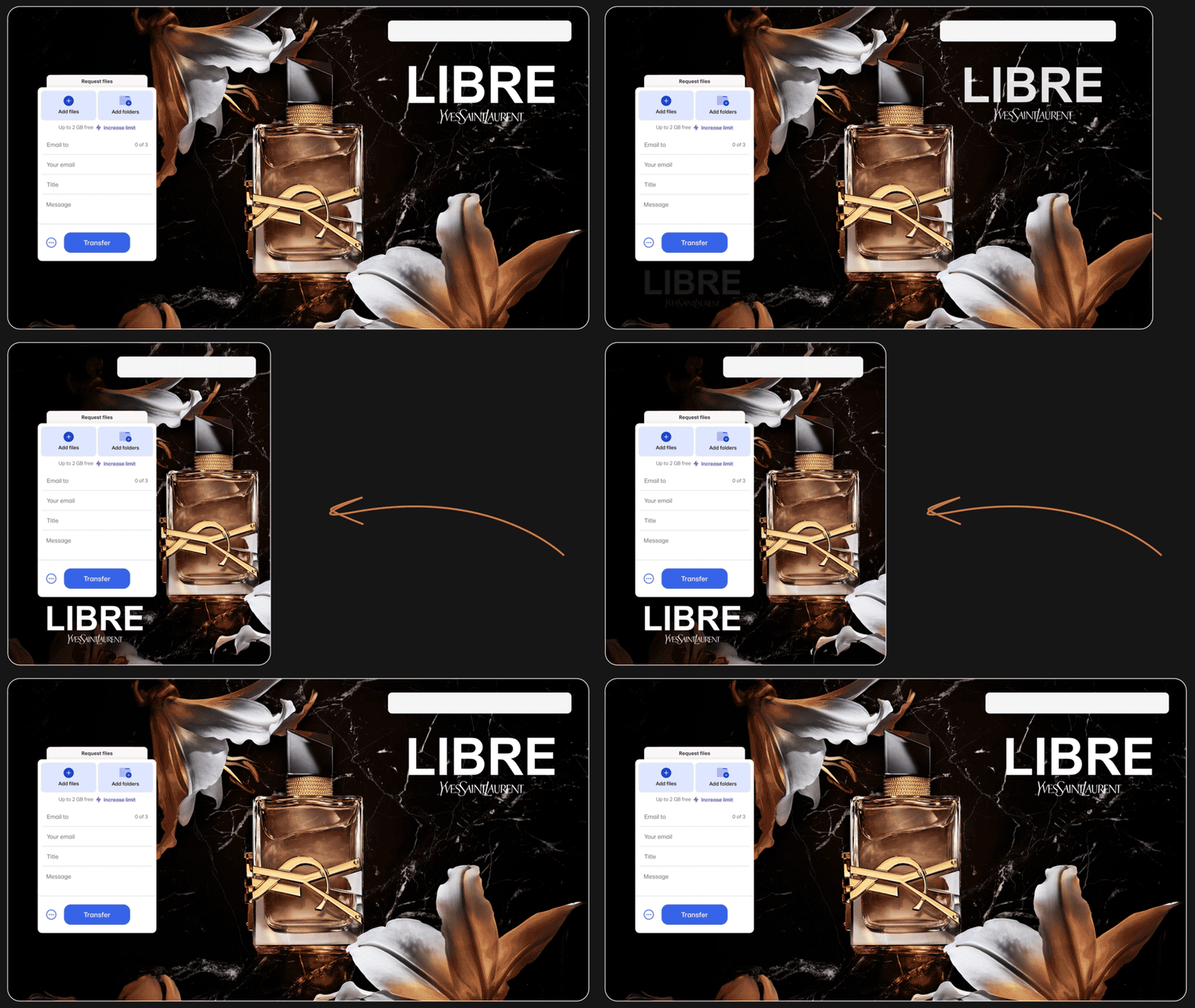
Our ads seamlessly adapt to different screen sizes and orientations.
This ensures your logo, call-to-action and key elements remain clear, visible, and perfectly positioned on any device.
Key Requirements
✔ Provide layered files using templates (.psd, .fig)
✔ Supply separate elements (logo, text, background)
as individual files.
Asset Requirements
All static assets and text should be
embedded in the layered file.
We accept the following formats:
Images
High-quality RGB, uncropped versions
2560x1600 px minimum, 72 dpi
Recommended 8x5 landscape ratio
Illustrations & Logos
High-quality RGB, uncropped versions, flat or vector
Vector files: .svg, .eps, or Illustrator file (.ai)
Flat files: .png, .jpg
Click-to-play videos
Full resolution as captured: 1920x1080 (HD) or higher
High quality bitrate (max. 30 Mbps for HD, 60 Mbps for 4K)
Autoplay videos
As per “Click-to-play Videos” specs
6–15 seconds duration for fast loading
Clean versions, without logos or overlays, to provide within the layered file
WeTransferStudio - Creative formats (ItaliaOnline)
By WeTransfer Studio
Private
WeTransferStudio - Creative formats (ItaliaOnline)
WeTransfer Studio Mockups